 PineDrama

What is PineDrama?
PineDrama is a short drama app from TikTok, built around serialized stories that you watch on your phone. Instead of presenting a single long film, the app brings a story to you through a sequence of short episodes. You can discover a series, begin watching, and decide which characters or storylines you want to follow. The experience combines a vertical video player with tools for exploring titles, saving favorites, and reacting to what happens on screen.
The short drama format suits moments when you want to watch something without choosing a feature-length movie. A break during the day can become a chance to start a new story, while a longer viewing session gives you room to continue through a series. PineDrama keeps the focus on episodes and the stories connecting them. It is a viewing app with a catalog to explore, rather than a tool for editing videos or creating your own productions.
Short episodes with an ongoing story
Part of the appeal of a short drama is the relationship between the individual episode and the larger series. An episode gives you a small part of the story; the next one develops the situation, introduces another turn, or follows the consequences of an earlier moment. If you enjoy stories that move quickly, this format gives you a way to follow a narrative in smaller pieces. You can watch a little, or spend more time with a series that catches your attention.
The app previews show romantic encounters, family situations, and dramatic confrontations. These give a sense of the storytelling on offer without requiring you to commit to one title immediately. Browsing is part of the experience: a poster, premise, or opening scene can help you decide what to try. Rather than treating every short video as an unrelated clip, PineDrama gives you series to follow and return to.
Find something to watch with Discover
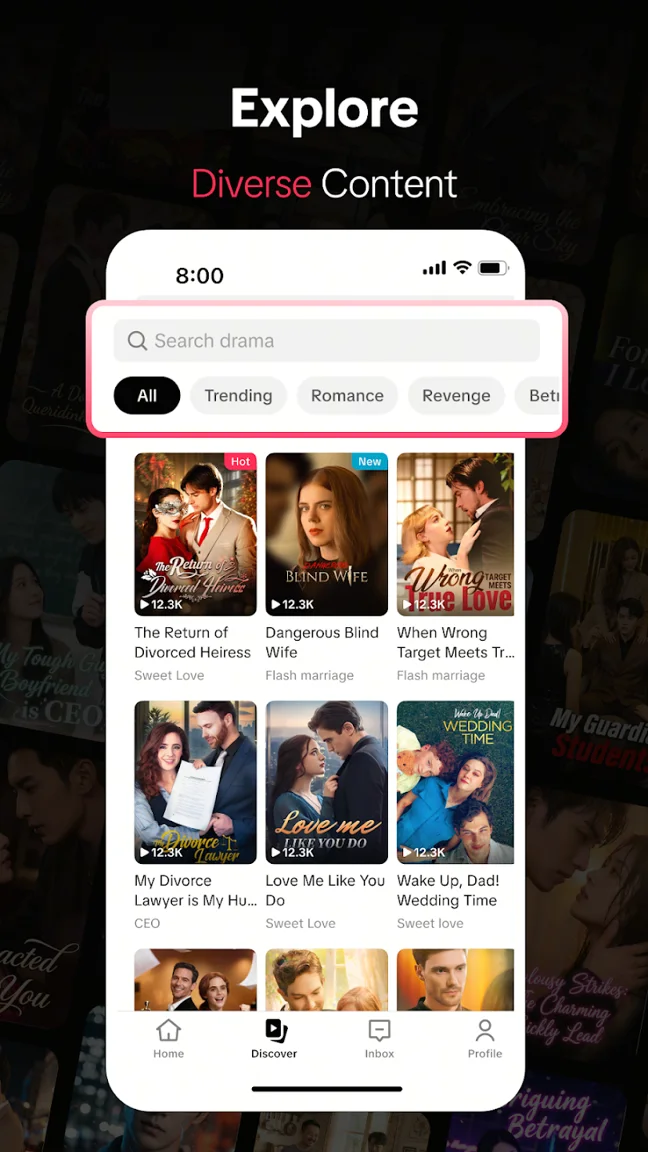
The Discover tab provides a place to browse beyond the episode currently on your screen. It brings series into a visual browsing view, helping you explore options before settling on a title. For someone who already knows the kind of drama they enjoy, browsing categories can provide a starting point. For someone open to trying something different, looking through the available titles can be a useful way to find an unfamiliar story.
PineDrama also offers vertical recommendations tailored to your taste. That creates another route into the catalog: you can encounter a story through the recommendation feed rather than begin with a particular title in mind. Discover and recommendations serve different viewing habits. One lets you deliberately look around, while the other helps you come across something as you browse. Together, they give you more than one way to choose the next series.
A vertical player made for phone viewing
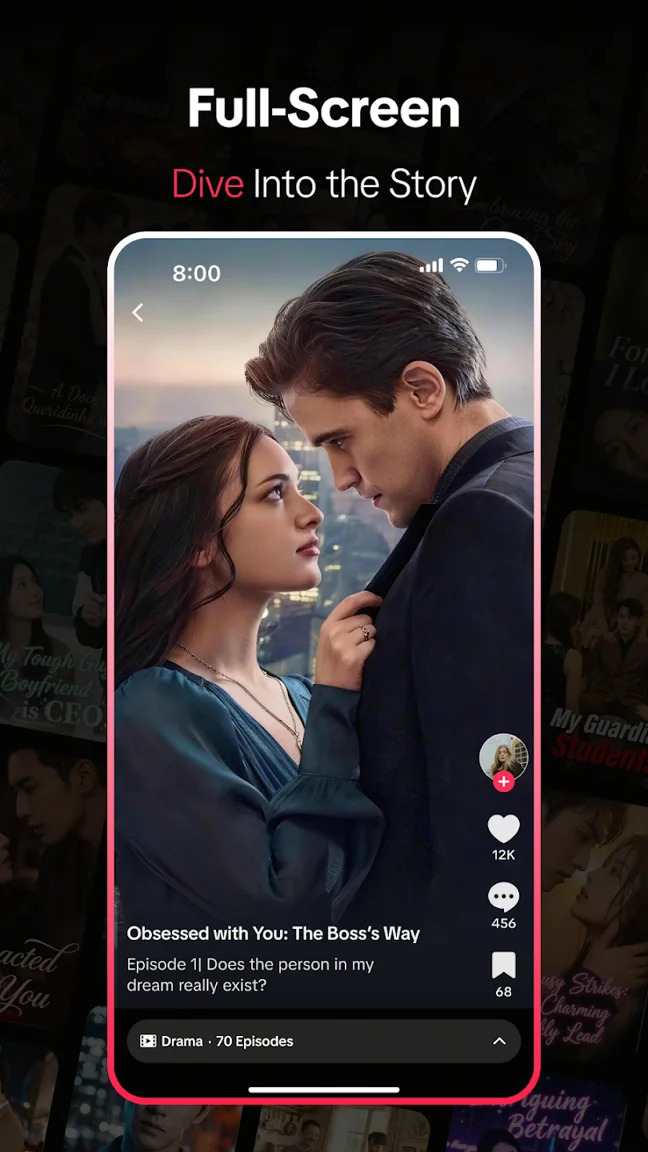
The viewing experience uses a vertical, full-screen format. That means the episode is presented in the upright orientation of your phone, with the story occupying the main viewing area. The player supports HD viewing and clear sound, keeping the dialogue and action central to the experience. The app previews also show how the episode and its interaction controls appear together, so you can understand the basic layout before downloading.
Full-screen viewing matters for a short drama because small details can carry the scene: a reaction, a conversation, or an unexpected arrival. PineDrama combines that focused presentation with controls for moving through the series. If you prefer a less crowded viewing area, the app includes a clear-screen option. This gives you a choice between keeping the available controls visible and putting more of your attention on the episode itself.
Move between episodes and adjust the pace
PineDrama includes episode switching and playback speed adjustment. These are practical controls for deciding how you want to watch. Switching episodes lets you navigate within a series, while the speed setting lets you change the pace of playback. You do not have to approach every series in exactly the same way: you can use the available controls to fit the scene and your viewing preferences.
These options sit alongside the app’s discovery features, rather than replacing them. Browsing helps you choose a story; playback controls help you manage the experience once you have started. If you are new to short drama apps, that distinction is useful. You can first spend time finding a series that interests you, then explore the player controls as you become familiar with the way PineDrama presents episodes.
Save favorites for another viewing session
Not every interesting series has to become the one you watch immediately. PineDrama lets you save favorites, giving you a way to keep track of stories you want to return to. If you find another appealing title while browsing, saving it separates the act of discovering it from the decision to start watching it. This is especially helpful when several different stories catch your attention during the same session.
A saved collection can also make future browsing more purposeful. Instead of relying only on the next recommendation, you have a set of titles you have already chosen to keep. Favorites are a simple part of the experience, but they connect discovery with longer-term viewing: find a story now, keep it close, and return when you have time to watch.
React and join the conversation
PineDrama includes social interaction around its episodes. You can react to what you watch and share thoughts with fellow drama fans through comments. For a series built around surprises and emotional scenes, the conversation can become another way to engage with the story. Viewers may notice different details, respond to the same character in different ways, or discuss the turn an episode has taken.
Watching and discussing remain separate choices. You can focus on the episode, or explore the conversation when you want to see how other viewers respond. The combination makes PineDrama more than a list of videos: discovery introduces you to a series, the player presents the story, favorites help you keep it, and comments give you a place to respond.
Download PineDrama for your device
This page offers an Android APK download and a separate iPhone download option. The Android file listed here is PineDrama version 47.1.4, with a file size of approximately 295.8 MB. Choose Download APK for the Android package, or Get for iPhone for the iPhone download page. The version and file size shown on this page refer to the Android file available here; they are not a description of the iPhone package.
If you want to understand the app before choosing a download, use the screenshots above to preview Discover, the vertical player, and the range of stories shown in the promotional material. The introduction here explains the main experience without requiring you to open a separate article. When you are ready, the download options are available both at the top of the page and below this guide.